
Procreate vs Canva for Sticker Design: Which App Is Better for Beginners?
Procreate vs Canva for Sticker Design (Quick Answer)
If you want to draw original stickers from scratch, Procreate is the better choice because it gives you full creative control and ownership of your artwork.
If you want to make stickers quickly using templates or graphics, Canva is easier for beginners and faster for simple designs.
Many sticker creators actually use both: Procreate for drawing and Canva for adding text or final layouts.
Okay. So you’ve got 1,000 sticker ideas, 5 minutes of focus, and a deep fear of choosing the “wrong” app. Sound familiar?
Same, babe. Same.
Let’s break this down like we’re on a couch, mugs in hand, half-working, half-ranting about why sticker-making apps really just need to come with a “for easily overwhelmed girlies” mode.
Sticker design can be super fun, right? But let’s be real: choosing between tools like Procreate and Canva can feel like picking your favorite dessert it shouldn’t be this hard
If you’re someone who craves a creative outlet but needs it to fit into your limited time (hey, life is busy!), then you’re in the right spot. Come with me as we explore Procreate vs. Canva for Sticker Design.
Both platforms have their strengths, but the one that’s best for you really depends on how you roll creatively and, let's admit it, how easily distracted you get.
Oh, and don’t forget to check out this sticker design guide for more ideas—we’re about to get this creative party started.
Table of Contents

If you’re overwhelmed, start here: Free Digital Drawing Guide
If Procreate still makes your brain glitch, and because it has cute drawing prompts, grab this: Digital Drawing without the Overwhelm. You’ll focus on a few simple tools, small finishable pieces, and building confidence without pressure.
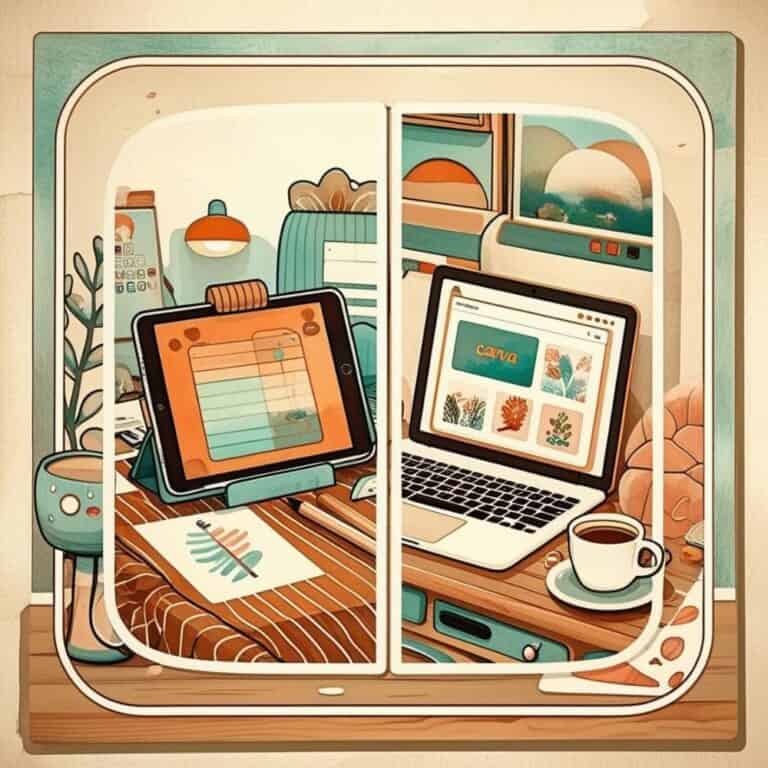
Procreate vs. Canva for Sticker Design
The Blank Canvas That Loves Your Inner Chaos Goblin
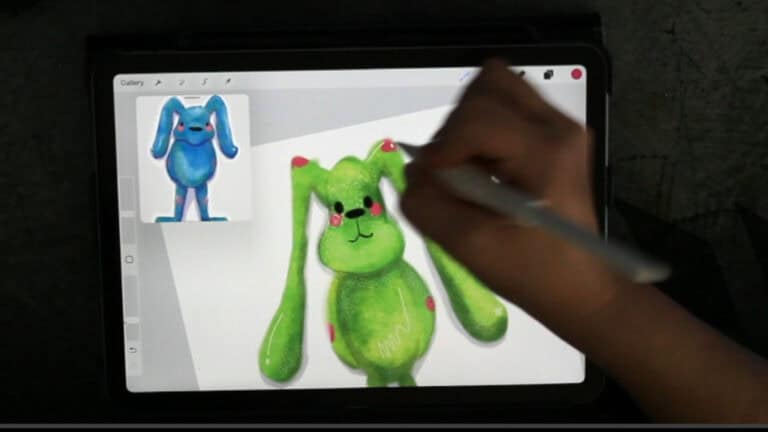
Procreate is like that super-talented art friend who shows up with an iPad, twelve sketchbooks, and no chill but makes everything look stupidly good.
Why It Slaps:
- Layers on layers: It’s giving “I make one mistake and just delete that layer” energy.
- Brushes? BABE.: Watercolor, glitter, pencil, crayon there’s a brush for your every mood swing.
- No distractions: Like… literally. The interface is so minimal it's basically saying, “shh, just vibe and draw.” Maybe throw on some Amazon Music and grab a glass of your favorite adult beverage.
ADHD Girl Math:
- You hyperfocus and suddenly it’s 2AM and you’ve made 47 stickers? Iconic.
- You can zoom in so far you’re fixing pixels no one will ever notice? Therapy.
Think of it as having an art supply store in your pocket, minus the checkout line chaos. 💡 Bonus Tip: Looking for creative sticker ideas? Don’t miss these DIY sticker inspiration tips.

The Downside? Oh honey…
Of course, even powerhouses have their weak spots, and Procreate is no exception. Here are a few things to weigh before making the leap:
- Learning curve = Mt. Everest. You will spiral into YouTube tutorials and question your life. Ok that is a touch dramatic but yes you'll need some YouTube University in your life.
- Initial Costs: Procreate isn’t free. The app itself is a one-time cost of $12.99, which, let’s face it, is cheap for what it offers. Then you’ll need an iPad (ranging anywhere from $329 for a basic model to $1k+ for a shiny Pro) and an Apple Pencil ($129 for the latest version). It’s an upfront investment for sure.
- iPad Exclusive: Sorry Android babes, Procreate said, “you can’t sit with us.”
“Procreate has serious main character energy, but she makes you work for it. Still, a little upfront effort is worth the creative freedom you get in return.”
Canva: Where Chaos Meets “Done Is Better Than Perfect”
Why Canva is That Girl:
- Works on literally anything: Laptop. Phone. Tablet. That crusty Chromebook from 2015? Yep.
- Templates for days: Want cute, fast, and done in 5 minutes? Boom.
- No skills required: Drag. Drop. Vibeeee.
- Magic Generate and the Canva Dream Lab, which basically let you conjure up your own sticker ideas as if by some high-tech wizardry.
The Downside? Mmm. Kinda.
- Licensing gray area: Some graphics can’t be used for stuff you sell. Ugh, adulting. If you were going to use something commercially you would need to check each elments licensing and see how you need to change it or if you can use it. Canva has a walk through video that explain this.
- Not always unique: If you don’t customize, your design might look like someone else’s. (We don’t want “sticker twinsies” unless it’s on purpose.)
- You’re not drawing from scratch: So if you want full creative control, you might feel boxed in.
- Canva Pro Costs: While the free version of Canva is decent access to all features (like resizing designs, using premium elements, and the big one for sticker designers is the ability to export as a transparent png requires upgrading to Canva Pro at $12.99/month. It’s not crazy expensive, but it’s another fee to think about.
| Feature | Procreate | Canva |
|---|---|---|
| Best For | Drawing stickers | Fast designs |
| Skill Level | Medium | Beginner |
| Device Needed | iPad | Any device |
| Ownership | Full ownership | Licensing rules |
| Cost | One-time | Subscription option |
Real Talk: Which One Should You Use?
Let’s be honest. You don’t need a soul-searching retreat to pick a sticker app. You just need to answer this:
Do you want to make something pretty fast or make something from scratch, slow but spicy?
| If you’re feeling like… | Go with… |
|---|---|
| “I have 6 minutes and a dream” | Canva |
| “I need to feel like a digital art wizard” | Procreate |
| “I’m broke but cute” | Canva Free |
| “I already own an iPad, might as well flex” | Procreate |
| “My brain is mush today” | Canva Templates |
| “My hyperfocus demon has arrived” | Procreate Layers |
Time and Cost Efficiency
We’re all busy—whether it’s juggling work, kids, or just trying to keep up with life’s general chaos.
Time and money matter, and here’s where Procreate and Canva take very different routes.
Canva is practically built for people with no time. Its templates save you hours of brainstorming, and the free plan is shockingly generous.
For stickers, it’s like finding everything you need in one place (minus your printer).
But if you want access to premium features or assets, upgrading to Pro will run you about $12.99/month. Not bad, right?
Procreate, on the other hand, has a higher upfront cost you need an iPad (starting around $329), an Apple Pencil ($129), and then the app itself ($12.99 one-time fee).
That’s a chunk of change, no lie. But once you’ve got the tools, you’re not paying extra for features.
Plus, for time efficiency, you can sketch designs directly no digging around for stock graphics.
If Canva feels like assembling IKEA furniture with instructions, Procreate is like carving your own chair when you’re in peak hyper-focus.
Quick creativity = Canva. Ultimate freedom (but with a longer setup) = Procreate. You choose.
Licensing and Ownership of Graphics One More Time For Those in the back
Let's just go over this one more time so you don't go getting into trouble. With Canva, licensing can get a bit…complicated.
Anything you create using Canva’s free or Pro assets typically comes with strings attached.
If you’re just making stickers for yourself (or, say, a bestie’s birthday), you’re golden. Selling those stickers? That’s when you’ll need to triple-check rights or buy pro and start using there built in Dream Labs and Magic Generate.
Procreate, though, is the wild west of creative ownership. Anything you make in Procreate is entirely yours start to finish, zero restrictions. It’s like baking your own cookies instead of buying prepackaged dough.
So, if you’re aiming for personal sticker projects, Canva is a safe, easy choice. But when it comes to creating something you want full control over—Procreate doesn’t ask questions, it just lets you create.
Oh, and one last thing if you’re new to sticker-making you’ll findbeginner-friendly tips and tutorials over on my YouTube channel.
Trust me, sometimes watching is way more fun (and less stressful) than figuring it out solo.
My personal preferences…. I'm a procreate girlie! I gifted my self an Ipad and Apple Pencil after I completed nursing school and got my first job as a nurse!
I know, I know it would have been great to use during school, but you all saw the price tag is pretty steep.
I love to draw so I naturally head to the drawing app.
I use canva all the time for other things but for sticker making i'm loyal to Canva.
With that being said I think Canva is a better option when adding text.
I ride the struggle bus adding fonts on my stickers and I think Canva shines when it comes to slapping some fonts onto my finished stickers.
It's an extra step for sure, but I think my life would be a lot simpler if I would just add all my text in canva.
That is until I learn Hand Lettering, but my overtired babes, that is an adventure for another day!
So ultimately when it comes to procreate vs. canva for sticker design….Use what works for you today. Your tools can change with your mood, your energy, your bandwidth.
Sticker chaos? Conquered. 💖
Ready to Actually Start Making Stickers?
If you’re leaning toward Procreate but feel a little overwhelmed, start simple.
I teach beginner-friendly sticker projects step by step — no art degree required and no perfectionism allowed.
👉 Start here: How to Make Your First Digital Sticker in Procreate
Ready to step up your sticker game? Don’t forget to check out creative ways to decorate your planner.
If You’re Feeling Overwhelmed Starting Digital Art…
You’re not alone. Most beginners don’t struggle with talent — they struggle with knowing what to focus on first.
That’s exactly why I created the Digital Drawing Overwhelm Starter Guide. It walks you through a simple way to practice, finish artwork, and actually start creating without burnout.
👉 Grab the free guide here if you want a clear starting point.
Procreate is better if you want to draw original stickers from scratch and fully own your artwork. Canva is better for beginners who want to create stickers quickly using templates, graphics, or text-based designs. Many sticker creators use Procreate for drawing and Canva for final layouts.
Yes, you can sell stickers created in Canva, but you must follow Canva’s licensing rules. Some elements require modification or a Canva Pro subscription for commercial use, so always check usage rights before selling your designs.
Procreate is not free, but it is a one-time purchase (typically around $12.99). After buying the app, there are no required subscriptions, making it a popular choice for artists who want long-term creative freedom.
Beginners who want fast results often start with Canva because it’s easy to learn. Creators who want to develop drawing skills and design completely original stickers usually choose Procreate once they feel ready to create from scratch.
Want More Procreate
Whether you’re just starting out or ready to try your next cute design, here’s a full list of tutorials, tips, and easy wins for making stickers in Procreate:
Start Here: Beginner-Friendly Guides
- Procreate Beginner Guide for Stickers
- Making Stickers in Procreate for Beginners
- How to Design Stickers in Procreate
- How Procreate Stickers Boosted My Confidence as a Creative Mom
- How Procreate Helped Me Reconnect with Creativity
- What I Learned from Trying A Daily Sticker Sketch Challenge(and Failing Sometimes Too)
Learn Cute Sticker Drawing Techniques
- Draw a Cute Blushing Star Sticker
- Designing a Cute Bunny Sticker
- How to Draw Cute Cherries
- Draw a Cloud in Procreate (Easy!)
- Design a Daffodil Sticker in Procreate
- Draw a Baby Duck in Procreate
- How to Make Your First Digital Sticker in Procreate (In 10 Minutes!)
- 3 Easy Outline Effects in Procreate That Make Your Stickers Pop
Procreate Tools, Ideas & Tips
- Easy Procreate Sticker Ideas
- Sticker Making Tips in Procreate
- Procreate vs Canva for Sticker Design
- How to Design Stickers
- Procreate Tools for Sticker Design: The Beginner’s Guide for Burnt-Out Moms
- Using Layers for Stickers in Procreate
- Clipping Masks For Procreate Stickers (with Less Stress and More Fun!)
- Best Canvas Size for Procreate Stickers (Beginner Guide)
- Best Procreate Brushes for Stickers (Free & Paid)
- Resizing Stickers in Procreate: The Busy Mom’s Guide to Sanity, Success, and Not Losing It
- Procreate Color Palettes for Stickers, Effortless Sticker Color Magic
- Eraser Tool Tips for Procreate Stickers (That Even Exhausted Moms Can Master)
I have also created an entire Procreate Starter Kit with a complete sticker file so you can see exactly how I made it!
💡Want to Start Selling Your Art?
The Art to Income Membership gives you one beginner-friendly project each month, trend ideas, templates, and step-by-step help — so you’re not stuck wondering what to make or how to start.
Perfect if you’ve got an iPad, some creativity, and no clue what you’re doing (yet). We’re all figuring it out together, one small win at a time.
🎨 Join the Membership for $17/monthIf you found this post helpful be sure to Save it to Your Sticker Designing Pinterest Board!