
Easy Procreate Sticker Ideas to Spark Your Creativity

Procreate is a fantastic tool for anyone looking to create their own stickers whether you're a complete beginner or just need a quick, creative outlet.
It’s incredibly user-friendly, even if you don’t have a ton of time or experience with digital design.
You can easily experiment with fun, simple ideas, and with Procreate's wide range of brushes and tools, the possibilities feel endless.
Plus, if you're looking for inspiration or tips to get started, be sure to check out my YouTube channel, where I share helpful tutorials and step-by-step guides to make your art journey that much smoother.
Table of Contents
Top Easy Procreate Sticker Ideas
Creating stickers in Procreate is not only fun but also a fantastic way to showcase your creativity!
Whether you’re planning to jazz up your notebooks, share custom designs with friends, or start your own sticker business, Procreate offers all the tools you need to get started.
If you're looking for a quick tutorial, don’t forget to check out our drawing cute cherries for even more inspiration.
Make Your First Sticker in Procreate
Grab your starter file, the brushes, tips, and step-by-step cheatsheets you need to design your first cute sticker today.

Doodle Flowers and Plants
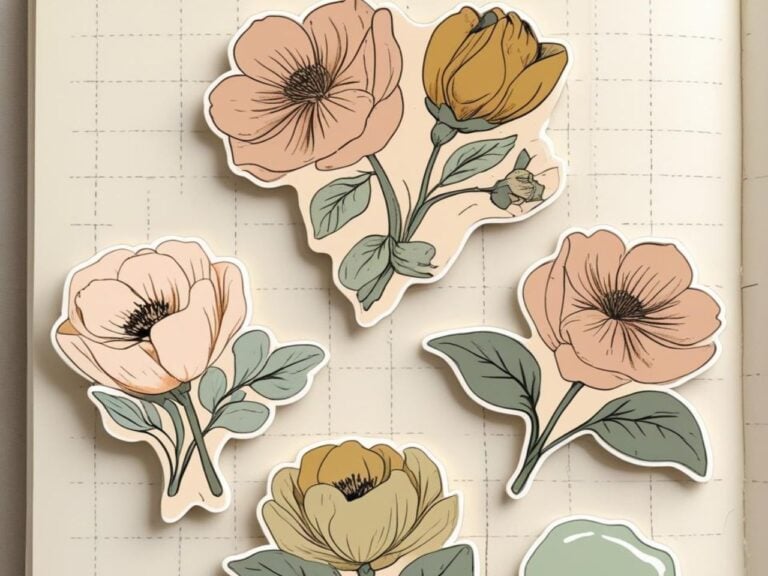
Not sure where to start? Doodle some flowers!
You don’t need to be an expert artist just start with basic shapes like circles, ovals, and lines. Boom, you've got a cute design.
Use these simple forms to create petals, leaves, or even entire trees.
To make the designs pop, subtly shade your flowers with soft pastel colors or gradients.
Trust me, even the simplest flower doodles like daisies or succulents can turn into adorable sticker designs!
Looking to experiment further? Use the symmetry tool in Procreate to create balanced floral patterns in no time.
You can also build dimension by adding a second layer with a lower opacity for a shadow or highlight effect.
The best part? It doesn't take too long to practice, but the results look like you’ve spent hours on these easy procreate sticker ideas.

Inspirational or Motivational Quotes
Stickers with quotes never go out of style. They’re the perfect blend of personal expression and design.
In Procreate, you can easily bring your favorite phrases to life. The app’s text tool allows you to explore a variety of fonts.
For a modern and clean look, go for minimalist sans-serif fonts.
If you want more of a personal touch, try hand-lettering your favorite quotes using Procreate brushes designed for calligraphy.
To enhance your designs, pair your text with small illustrations or icons like stars, hearts, or swirls.
You could even match them to a color theme for a cohesive look. Ready to try something practical?
Check out 10 Creative Ways to Decorate Your Planner with Stickers for Fun and Motivation and it counts as productive and cute!
Create a batch of quote stickers that share common encouragement phrases such as “You’ve got this!” or “Be kind to yourself.”
They’ll leave anyone who uses them feeling inspired.

Geometric Patterns
Geometric patterns are fantastic for easy procreate sticker ideas if you're searching for simplicity with a bit of modern flair.
Start with basic shapes—circles, squares, and triangles—and repeat them in a sequence to create a seamless design.
Play around with overlapping these shapes or using various sizes to create depth and intrigue in your layouts.
Want an example? Combine triangles and hexagons together for a trendy, honeycomb-inspired look.
Check out some geometric stickers in use here.
Or, use the Procreate grid option to help you align everything perfectly without hassle.
Even monochrome geometric designs can result in elegant, minimalist stickers that are truly eye-catching.

Animal Silhouettes
Animal-themed stickers are fun, super versatile, and surprisingly easy to create.
Using Procreate's clipping masks alongside basic shape tools, you can bring adorable animal silhouettes to life.
For instance, you could create a cute cat outline by starting with circles and curves, then erase unnecessary parts for a refined look.
Want to step it up? Add texture to your animal designs using Procreate’s patterned brushes or gradients.
Try our Designing A Cute Bunny Sticker or How About a Cute Baby Duck Sticker.
It could be as simple as a giraffe’s spots or a textured silhouette of a whale.
Try offering a series of animal designs where the silhouettes appear in unique, bright colors it makes for a playful yet polished result that people love to collect.
Creating Procreate stickers is all about keeping it light-hearted and letting your imagination run wild.
Be sure to explore and test out different designs—you’ll be amazed at the variety you can achieve!

Step-by-Step Guide to Creating Procreate Stickers
Here’s a step-by-step breakdown to help you bring your sticker ideas to life.
Sketching the Sticker Base
Every great sticker starts with a solid base. Open Procreate, click on “Create Custom Canvas,” and set the dimensions to at least 300 DPI for clear, printable designs.
Choose a square format to make sure your sticker looks sharp and adaptable.
Next, grab the 6B pencil or your favorite sketching brush, and let your creativity flow.
Start with a rough draft, focusing on big shapes and the overall design idea. Don't worry about making it perfect—this is just the planning stage.
Sketching tip: If you're stuck, try tracing over a photo or using reference images from Pinterest or Google to jumpstart your design.
It’s not about being perfect; it’s about being creative!
Make sure to check out Stickers for a Creative Outlet Section to see all the awesome ways you can put your stickers to work.
Adding Colors and Layers
Once you’re happy with your sketch, it’s time to add some life to it.
Procreate’s layering system is key here. Create a new layer for each part of the design—this makes editing and adjusting colors super easy.
For example, if your design includes a flower, you can dedicate one layer to the petals, another to the center, and a third to shadows or highlights.
Pick a cohesive color palette that brings your sticker to life.
You can even save your palette in Procreate for use across multiple designs.
If you’re unsure about choosing colors, tools like Canva Palette generator offer palette ideas from an uploaded image.
Outlining and Adding Borders
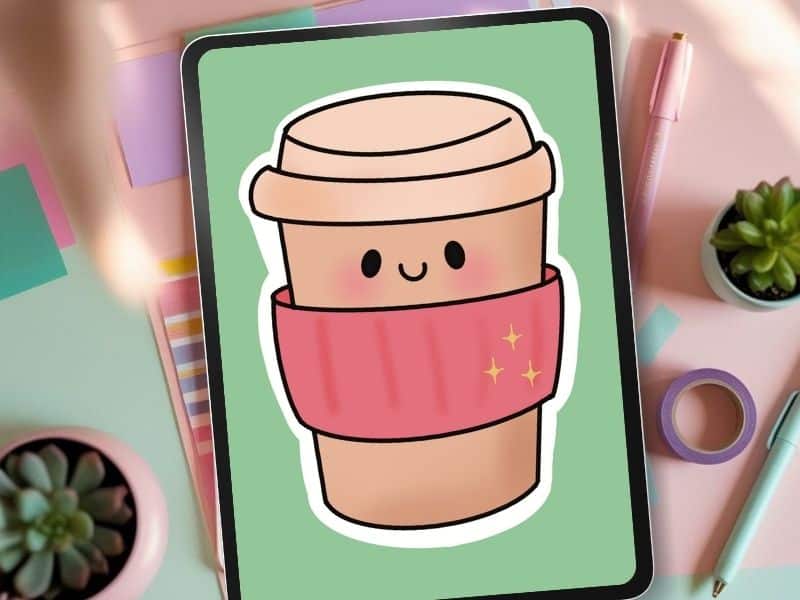
Want that professional, polished look for your stickers? Add white outlines or borders around your designs.
Start by duplicating the layer you've colored in. Use the Gaussian blur tool to slightly expand the duplicate layer and fill it with white.
Then, use the selection tool to clean up any rough edges—this creates a smooth, crisp border.
For a step-by-step example of borders in action, check out How To Outline Your Stickers In Procreate.
Or you can select a brush like the monoline make it quite large and trace around your work. I think this is actually quicker.
Once you have your outline, turn off all your layers except the outline and fill the outline with white or whatever color you want your border to be.
Try both ways and go with the one that works best for you!
Adding borders not only gives your stickers a finished look but also ensures better definition when printed or placed on darker surfaces.
Exporting Stickers
Once your sticker is ready, save it as a transparent PNG—a format that preserves quality and allows for easy printing or sharing online.
Go to “Share” in the Actions menu, choose PNG, and make sure “Background Color” is turned off.
If you're printing them at home, tools like Cricut or Silhouette can cut lots of stickers at a time. Do your research beforehand, there is a learning curve and both machines can need tweaks.
Need extra setup tutorials? The How to Make Stickers with Procreate page provides fantastic insights into this process.
Creating stickers with Procreate lets your creative vision shine in ways that feel effortless and fulfilling.
Try these tips, experiment with different tools, and see how your ideas come to life!

Tips to Quickly Enhance Sticker Designs
Designing stickers in Procreate can be both fun and productive, but knowing a few tricks can make a huge difference in how quickly and easily your ideas take shape.
Using Procreate's Built-in Brushes
Procreate comes with an arsenal of brushes, and the best part is you don't need to get fancy or overwhelmed by hundreds of options.
A few built-in brushes, like the Monoline Brush or Soft Brush, are perfect for creating clean lines and adding just the right texture to your stickers.
The Monoline Brush is ideal for smooth outlines because it keeps the thickness consistent, which works beautifully for everything from doodles to lettering.
On the other hand, the Soft Brush allows you to add beautiful gradients or shadows for that extra depth.
Need help navigating these brushes? You might find tutorials on platforms like Procreate's Official Forums insightful for discovering hidden features that simplify your process.
Creating Templates for Consistency
One of the easiest ways to make your design process quicker and more cohesive is by setting up reusable templates.
Imagine you're designing a series of animal stickers—having a go-to template for shapes like circles, squares, or even paw silhouettes can save you so much time while maintaining consistency.
Just duplicate your template for each new creation!
Here's a quick tip: save a canvas with pre-made sticker shapes (at 300 DPI or higher for print quality) rather than starting from scratch each time.
This not only streamlines your workflow but also ensures each sticker has a polished look.

Learning Through Procreate Resources
If you’re a beginner or someone who just wants to sharpen their skills, Procreate resources are everywhere!
Free or affordable online tutorials on YouTube or platforms like Skillshare can give incredible insight into sticker design. Have you ever tried following along with a video step-by-step?
It feels like having a personal teacher in real-time.
Looking for a starting point? My YouTube channel includes helpful guides for creating Procreate stickers, so be sure to check it out!
The key here is to continually mix learning into your practice.
Watch a short tutorial, try the techniques, and adapt them into your unique style—it's all about making every sticker feel like a small masterpiece.
Creating stickers in Procreate is as simple as pulling out your imagination and letting it roam free.
With its intuitive tools, even someone new to digital art can produce professional-quality designs.
The best part? You don't need to invest a ton of time or resources to start.
Plus, with tutorials on my YouTube channel, you can learn to create eye-catching stickers in no time.
Dive into this creative outlet, and you'll discover just how fun and rewarding it can be.
Want More Procreate
Whether you’re just starting out or ready to try your next cute design, here’s a full list of tutorials, tips, and easy wins for making stickers in Procreate:
Start Here: Beginner-Friendly Guides
- Procreate Beginner Guide for Stickers
- Making Stickers in Procreate for Beginners
- How to Design Stickers in Procreate
- How Procreate Stickers Boosted My Confidence as a Creative Mom
- How Procreate Helped Me Reconnect with Creativity
- What I Learned from Trying A Daily Sticker Sketch Challenge(and Failing Sometimes Too)
Learn Cute Sticker Drawing Techniques
- Draw a Cute Blushing Star Sticker
- Designing a Cute Bunny Sticker
- How to Draw Cute Cherries
- Draw a Cloud in Procreate (Easy!)
- Design a Daffodil Sticker in Procreate
- Draw a Baby Duck in Procreate
- How to Make Your First Digital Sticker in Procreate (In 10 Minutes!)
- 3 Easy Outline Effects in Procreate That Make Your Stickers Pop
Procreate Tools, Ideas & Tips
- Easy Procreate Sticker Ideas
- Sticker Making Tips in Procreate
- Procreate vs Canva for Sticker Design
- How to Design Stickers
- Procreate Tools for Sticker Design: The Beginner’s Guide for Burnt-Out Moms
- Using Layers for Stickers in Procreate
- Clipping Masks For Procreate Stickers (with Less Stress and More Fun!)
- Best Canvas Size for Procreate Stickers (Beginner Guide)
- Best Procreate Brushes for Stickers (Free & Paid)
- Resizing Stickers in Procreate: The Busy Mom’s Guide to Sanity, Success, and Not Losing It
- Procreate Color Palettes for Stickers, Effortless Sticker Color Magic
- Eraser Tool Tips for Procreate Stickers (That Even Exhausted Moms Can Master)
I have also created an entire Procreate Starter Kit with a complete sticker file so you can see exactly how I made it!
Make Your First Sticker in Procreate
Grab your starter file, the brushes, tips, and step-by-step cheatsheets you need to design your first cute sticker today.
Make sure you never lose your sticker making ideas by pinning one of these easy procreate sticker ideas pins to your sticker making board on Pinterest.