
How to Improve Digital Art Faster by Repeating One Subject
You’re drawing all the time. You’ve got sketches for days. Your iPad is basically your emotional support rectangle.
So why does it still feel like your digital art is improving at the speed of a sleepy turtle?
Here’s the sneaky problem, if every drawing is totally different, your brain has to reboot like it’s running on three percent battery. You’re doing the work, and yes, you are getting better, but you’re making it harder than it needs to be.
This post shows you a simpler way to practice so your progress is obvious, repeatable, and way more satisfying (the good kind of satisfying, not the “I reorganized my brush library instead of drawing” kind).
Repeating one subject in digital art helps you improve faster because you build muscle memory, reduce decision fatigue, and make your progress easy to see. Draw a small series (5–10 variations) in the same style and palette, and you’ll grow your confidence, refine your look, and naturally create cohesive sets (like stickers or clip art).
Table of Contents
Why random drawings slow down your progress (even when you draw a lot)
A lot of beginners do the most logical thing ever. You draw whatever pops into your head because practice is practice, right?
So one day it’s a frog, then a face, then a landscape, then lettering. Fun, chaotic, very “I contain multitudes.”
The issue is not that you’re doing it wrong. It’s that this kind of practice makes your brain start over every single time. Different subject, different style, different colors, different problems. You’re constantly re orienting instead of improving the same skill in a way you can actually see.
Here’s what that looks like in real life:
- You’re always solving new problems instead of getting better at the same ones.
- Your drawings don’t build on each other, because each one lives on its own little island.
- You’re practicing regularly, but you’re not focusing long enough on one thing to get that “oh wow, I can do this now” feeling.
And that “I’m practicing but I’m not improving fast enough” frustration kicks in.
The extra annoying part is that you are improving, you just can’t track it easily. Your progress gets scattered across ten unrelated subjects, so it’s hard to notice the growth.
It’s like trying to see muscle gains when you do a different workout once a month.
Don’t get worried, there’s an easy fix.

The simple fix, draw similar things on purpose
You improve faster when you repeat on purpose. Same subject, same style, same general color palette.
Instead of drawing one frog and moving on, draw four frogs. Or ten. You can redraw the same frog again and again, or do variations (different poses, different expressions, different little accessories, same overall vibe).
This is where things start to feel less like “practice” and more like “wait, I’m kind of good at this?”
Repetition helps because:
- You stop spending half your time figuring out what to draw.
- Your hand starts remembering shapes without you begging it to cooperate.
- You build muscle memory, and your lines start looking more confident.
- Your brain starts spotting patterns, like what you always do for eyes, cheeks, shadows, or textures.
And if you’re trying to sell your art as digital products, this gets even better. Repeating a subject naturally pushes you toward cohesive sets (sticker sheets, clip art bundles, planner icons) instead of one off pieces that don’t match anything else you make.
If you want a calmer workflow inside Procreate while you build those repeats, the Procreate basics for beginners guide helps you keep things simple, including a beginner workflow you can reuse without spiraling.

Start with thumbnail sketches so you don’t freeze up
Before you go into “final drawing mode,” give yourself a tiny plan. A blank sketch layer, quick thumbnails, messy on purpose.
If you’re making a sticker sheet, this part is gold because it stops the classic problem where you stare at a blank canvas like it personally insulted you.
Here’s a simple way to do it:
- Decide what you’re making (example, a sticker sheet), then pick how many stickers you want on it.
- On a sketch layer, draw rough thumbnail ideas for each sticker, fast and loose.
- Pick the strongest few, then redraw them bigger with cleaner lines.
While you’re thumbnailing, keep the “collection rules” in mind:
Same style. Similar shapes. Limited colors.
That consistency is what makes a set look like it belongs together, even if every item is different. It also makes you look more “professional” without you trying to become a different person overnight.
And yes, you can still play. You’re just playing inside a small box you chose on purpose. It’s like giving your brain bumpers at the bowling alley. Still fun, fewer gutter balls.

If you’re overwhelmed, start here: Free Digital Drawing Guide
If Procreate still makes your brain glitch, and because it has cute drawing prompts, grab this: Digital Drawing without the Overwhelm. You’ll focus on a few simple tools, small finishable pieces, and building confidence without pressure.
Build useful collections while you improve (hello, sellable art)
Focused repetition does something random sketching rarely does. It creates work you can actually use.
When you draw related pieces in the same style, you’re basically building a mini collection by default. And collections are what sell well as digital products because customers love sets that match. One sticker is cute, a whole sheet is a product. One icon is nice, a themed pack is a listing.
You also start making creative decisions you can reuse. That’s huge. When your style and colors stay consistent for a while, you build a visual identity without forcing it.
A few benefits you’ll notice pretty fast:
- Your work looks more cohesive because it shares shapes, line weight, and palette.
- You’re not reinventing the wheel every session.
- You end up with a small “portfolio lane,” which makes it easier to list products, create mockups, and build a shop that feels consistent.
If stickers are part of your plan (or you just want an excuse to draw tiny cute things), you’ll like the Procreate sticker making tips for beginners.
It walks through a full beginner-friendly sticker workflow, from canvas setup to exporting, without making you feel like you need to learn forty tools first.
And if you want a quick win to prove to yourself you can finish something, try make your first digital sticker in 10 minutes. Fast projects are confidence builders. Your brain loves receipts.

More drawings vs better drawings, why related drawings win
You’ve probably heard “just draw more” a million times. And yes, quantity helps. You build comfort, you build control, you build the habit.
But there’s a difference between drawing a lot and improving fast enough to actually notice.
The trap of “just draw more”
If you draw one frog today and never draw another frog again, that frog can’t teach you much. It was a single event. A cute event, but still.
When every drawing is unrelated, each session becomes a brand new puzzle. That means your progress is real, but it’s slow to show up. It’s like learning ten songs on the piano, one time each, instead of practicing the same song until your hands stop panicking.
The power of multiple studies (aka, do the thing again)
When you draw four frogs in a row, you start seeing patterns immediately.
Here are a few wins you get from doing related drawings back to back:
- You notice what you repeat, like how you shape eyes, hands, or leaves, and what you want to change.
- Your style starts to show up because you can compare versions and keep the parts that feel like you.
- Improvement becomes visible, because you can literally line them up and see what got better.
This is also why “iterative practice” shows up in so many art routines. Doing variations teaches your brain faster than constantly switching topics.
Perfect for busy schedules and tired brains
If you don’t have hours a day to practice (because you have a job, kids, a life, or you simply enjoy not living inside your iPad), this approach is a cheat code.
Pick one subject, style, and palette for a week. Do multiple small studies. Then switch.
That rhythm builds muscle memory and automatic recall. After you’ve drawn the same kind of subject enough times, you won’t need a reference every single time, because your brain already knows what comes next. References are still great, you just stop being dependent on them for every decision.
And when you’re pacing yourself, it helps to remember you don’t need marathon sessions. Lois van Baarle, aka “LOISH,” talks about managing time and focus in her own practice notes, including how long she tends to work before concentration drops, in her good routine and practices advice.
have you joined the art to income: create & Sell digital products facebook group?
If you’ve ever said, “I want to draw digitally, but I have no idea where to start,” this is your sign.
We learn Procreate tricks, share designs, celebrate tiny wins, and cheer each other on as we start selling what we make.
💕Join Us on Facebook✨
Get visible results and find your style without guessing
When you stop hopping between totally different subjects, your progress gets louder. You don’t have to squint at your art and wonder if you’re improving. You can see it.
This is what focused practice gives you:
- Clear comparisons because the subject stays the same.
- Style growth because you keep making similar choices, then refining them.
- Easier drawing sessions because repetition removes friction.
- Better recall, so drawing starts to feel more natural and less like constant problem solving.
And that last part matters a lot if your goal is to sell digital products.
When you can draw in a consistent style on demand, you can create collections faster. You can finish a themed set. You can make the “matching items” your customers want (and that your shop needs).
You also spend less time fighting tools. If you’re constantly cleaning up edges, fixing outlines, and doing tiny edits for sticker style art, learning a few Procreate clean up habits helps. This guide on Procreate eraser tool tips for stickers might be worth a peek.
And when you start turning studies into sticker sheets, resizing becomes part of the job. You’ll save yourself a lot of grumpy sighing with this resizing stickers in Procreate guide.
Start today with a simple plan and beginner friendly support
If you want to start drawing without the overwhelm (and without turning every session into a dramatic event), you’ve got a few solid next steps.
First, grab the free beginner guide. It’s built to help you start small, start messy, and build confidence one project at a time: Beginner’s No Overwhelm Guide to Starting Digital Drawing
If you want structured lessons, step by step, without pressure, you can check out Digital Doodles beginner drawing course. This is for the days when you want someone to just tell you what to do next.

🎨 Art to Income Membership
Turn your doodles into dollars — one simple, sellable project at a time.
If you're staring at Procreate wondering how people go from drawing frogs in sweaters to actually selling stuff — you're not alone.
This membership helps you go from “where do I even start?” to having a finished product ready to list.
Each month you’ll get:
💖 One guided project to create and list a finished product
💖 Done-for-you assets to speed things up
💖 Trend + keyword ideas so you know what people are actually buying
💖 A supportive group of artists figuring it out right alongside you
💖 Listing and promo ideas so your art doesn’t just sit in a folder
You don’t need to be techy, trained, or totally “together” — just curious enough to try.
And if you want ongoing prompts, feedback, and structure so you actually finish your art (not just start twenty things), so you can start selling it look at the Art to Income Membership support program.
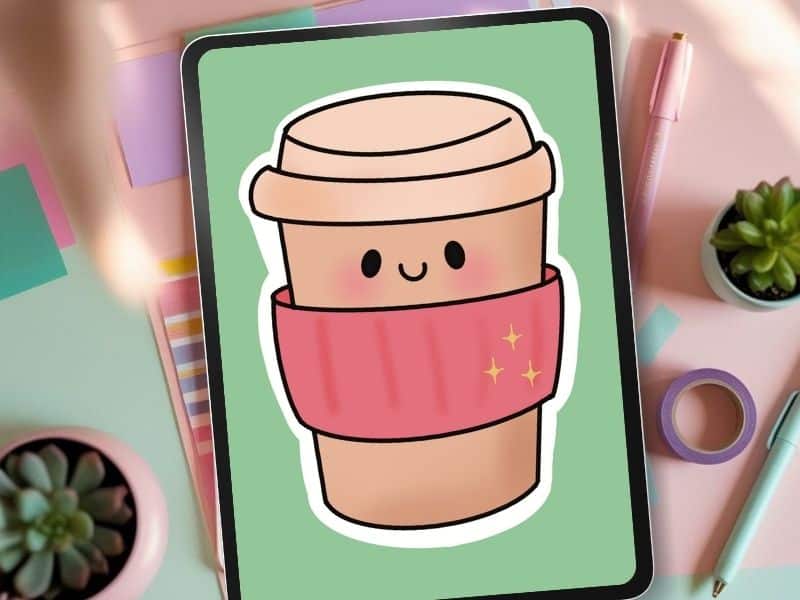
Now your challenge: pick one subject to repeat this week. Frogs, coffee cups, mushrooms, faces, florals, little skincare icons, whatever you love. Draw a batch. Keep the style and palette consistent. Compare the first one to the last one.
Your progress will be right there, being loud.
Key Takeaways
FAQs
Because your brain stops re-learning basics and starts refining skills you already used, which speeds up confidence and consistency.
Start with 5–10 repetitions. You’ll usually notice improvement around the fourth or fifth drawing.
It can feel uncomfortable at first, but repetition reduces mental load and makes drawing feel easier, not harder.
Yes. Repeating subjects naturally creates matching pieces, which are ideal for stickers, clip art packs, and bundles.
Pick one simple subject you enjoy — like frogs, coffee cups, flowers, or icons — and keep the style and colors consistent.
If you want to improve digital art faster, stop treating every drawing like a fresh start. Repeat the same subject on purpose, keep the style consistent, and let your brain build skill on top of skill.
You’ll get visible progress, a clearer style, and collections that actually make sense for digital products. Pick one subject for the week, draw a small series, and let it be messy while you learn.
🎥 Prefer to learn by watching?
I’ve got a YouTube channel full of quick, no-pressure tutorials made for tired, creative souls like you.
Subscribe here and catch your next creativity boost, one sticker at a time.
Love and messy buns,
❤️
Cynthia McDonald
Helping women find creativity in the chaos — with stickers, stationery, and a little bit of fun
This post may contain affiliate links. I may earn a commission if you make a purchase at no extra cost to you.
Make sure and grab your favorite Pinterest Pin and Save it to your Digital Art Pinterest Board


