
Where to Sell Digital Art Online (Platform Comparison for Creators)

Wondering where to sell digital art online? Here’s how to choose the best one for your goals.
You finished your latest piece of digital art, and now you’re staring at your screen thinking, where do I even sell this? There are a lot of options, and each one comes with different fees, tools, and expectations. In this guide, you’ll learn the most common places to sell, who each platform fits best, how the fees work, and a simple plan to get started without overwhelm.
If you want a quick push forward, grab my free quiz, Profitable Project Quiz, it helps you pick your next digital product fast.
Quick Summary: Where Should You Sell Your Digital Art?
Start with Etsy if you have no audience — it brings traffic to you.
Use Gumroad or Ko-fi if you already have fans or followers.
Try Squarespace or Shopify if you want full control later.
Pick one platform, launch one product with variations, and test for 90 days.
🎥 Prefer to learn by watching?
I’ve got a YouTube channel full of quick, no-pressure tutorials made for tired, creative souls like you.
Subscribe here and catch your next creativity boost, one sticker at a time.
Table of Contents
Platforms to Consider for Selling Your Digital Creations
There is no one right place to sell. Your best choice depends on your audience size, how polished your products are, and how much control you want. Here’s a clear breakdown to help you choose with confidence.

Etsy, The Go-To for Built In Traffic
Etsy is familiar, easy to start, and packed with shoppers who are already looking for digital downloads. You get exposure to millions of buyers, which is a big help if you’re new.
- Fees you should know: 20 cents per listing, plus a 6.5% transaction fee.
- Competition exists, so listings need care and consistency.
Tips for success:
- Use strong keywords that match exactly what buyers search for.
- Add beautiful, clear listing images.
- Upload new products on a regular schedule.
Simple setup steps:
- Create your shop and add your brand basics.
- List one digital product with clear photos and keywords.
- Add 2 to 3 variations of that product to test what sells.
- Track views, favorites, and sales weekly, then repeat what works.
Best for: brand new sellers with no audience. Not ideal for: artists who want full control, or who already have a large following and want a custom store.
For more on getting started, this companion post breaks down fundamentals, how to sell digital art.

Gumroad and Ko-fi, Bring Your Own Audience
If you already have people asking to buy your work, Gumroad and Ko-fi are simple and direct.
- Gumroad makes setup easy. You upload your file, set your price, and get a link to share on social and email. You keep about 90 to 95% of profits, but you must bring your own traffic.
- Ko-fi is similar, but it also supports tips and donations. Fans can support you without buying anything.
These platforms shine when you have a small but loyal audience. If you are starting from zero, they can feel quiet, since there is no built in browsing crowd.
Comparison at a glance:
| Feature | Gumroad | Ko-fi |
|---|---|---|
| Built in audience | None | None |
| Profit share | Keep about 90 to 95% | Keep most earnings, plus tips |
| Best for | Direct sales to fans | Tips, donations, and small product sales |
| Setup | Simple product pages and links | Creator page with shop, posts, and supporter tools |
Who these are ideal for:
- You have a small, engaged following on social or email.
- You want quick setup and direct links to share.
Who they are not ideal for:
- Total beginners with no audience.
- Artists who need marketplace discovery to get seen.
If you want more options to explore beyond these, this roundup offers a useful overview of selling platforms, 22 places to sell digital art online.

Creative Market, For Polished, Professional Bundles
Creative Market is application based. You must apply, and acceptance is not instant. It favors creators who sell polished, ready to use assets.
Great fits include:
- Fonts and type families
- Seamless pattern collections
- Brush packs for Procreate or Photoshop
- Design bundles and template packs
If you have well organized bundles and a cohesive shop style, it can be a strong fit. If you are just testing ideas, it may feel like too much, too soon.

Print on Demand Sites, Redbubble, Society6, and Spoonflower
Want to see your art on products without managing inventory? These sites do the production, shipping, and customer service for you. You upload your designs, choose the products, and they do the rest.
Pros:
- Your art on real items like prints, stickers, phone cases, fabric, and more.
- No packing or shipping.
Cons:
- Smaller profit margins since the platform handles production.
- Success comes from volume, promotion, and trend fit.
Best for: artists who want a passive style setup and like product variety.
If you want another perspective on popular platforms, this piece compares top marketplaces like Etsy and Redbubble, top platforms to sell artwork online.

Patreon, Building Recurring Revenue
Patreon is great for creators who want recurring revenue and deeper connection with fans. Members pay a set fee each month, and you deliver monthly content.
Features you may like:
- Monthly income from members
- Tiered access and perks
- Community style engagement
Heads up: it works best when you can produce steady content. If you are just starting, the monthly schedule may feel like a lot.
have you joined the art to income: create & Sell digital products facebook group?
If you’ve ever said, “I want to draw digitally, but I have no idea where to start,” this is your sign.
We learn Procreate tricks, share designs, celebrate tiny wins, and cheer each other on as we start selling what we make.
💕Join Us on Facebook✨
Choosing the Best Platform for Your Situation
Your choice depends on where you are right now. Here is a simple way to decide based on your stage and goals.
No Audience Yet, Start Simple
Best pick: Etsy
If you are new and do not have buyers yet, Etsy is a smart first step. It gives you built in traffic, a clear shop structure, and a simple workflow.
Why it works:
- Built in shoppers looking for digital downloads
- Easy for first listings and testing ideas
First steps:
- Create one product in a few variations, like colorways or sizes
- Write a clear description, include search friendly keywords
- Add bright, styled listing images that show scale and use
Want more help getting your first listing ready? Read this sister post on common pitfalls to avoid, mistakes new digital artists make.

Got a Small Following, Go Direct
Best pick: Gumroad or Ko-fi
If you already have an audience on Instagram, TikTok, or email, start with Gumroad or Ko-fi.
Simple workflow:
- Upload your product.
- Set your price and delivery details.
- Share your link on social posts, stories, and email.
These platforms are great for loyal fans. There is no real marketplace competition because your buyers come from your own audience.

Ready for More Features, Explore All In One Options
Try: Squarespace, PayHip
Squarespace and PayHip offer a website and shop in one place. They are beginner friendly, but like Gumroad and Ko-fi, you need to bring your own traffic.
Good fit if:
- You want courses or a range of product types
- You prefer a site builder that handles the tech
- You are fine with monthly fees rather than per listing fees
Monthly subscriptions can cost more over time than marketplaces, but you get a more complete setup under your brand.

Advanced Stages, Full Control and Beyond
Go for: Shopify, SubTrio
- Shopify gives you your own store on the internet. It has more fees than marketplaces, but also more control and personalization. It works for digital and physical products.
- Subtrio is a robust add on when you already have a site. It covers email marketing, social posting, courses, memberships, and community tools. This is best when you are further along and want more business systems in one place.
If you are planning to sell both digital and physical items, Shopify is a natural next step.
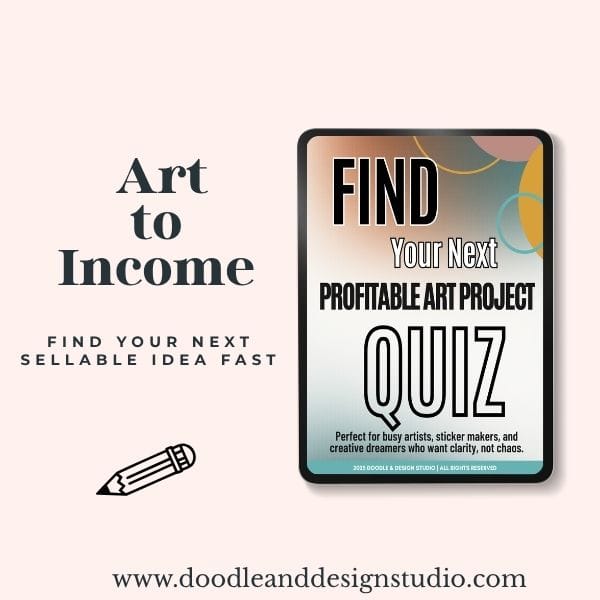
Grab the quiz and find your next art-to-income idea.
I created this quiz to help busy creatives cut through the noise, find focus fast, and feel confident about what to make next.
Next Steps, Pick, Launch, and Stick With It
Let’s make this simple. Choose one platform, launch one product with variations, then commit to a short testing window. No pressure to be perfect.
Research Without Getting Overwhelmed
Do quick, focused research before you commit.
- Make a short list of 2 or 3 platforms that feel right.
- Set a timer for 1 to 2 hours, total, not per platform.
- Review each site’s look and feel. If it feels easy to figure out, that is a good sign.
Check:
- The site’s aesthetic and how your work would sit there
- Setup steps and how files are delivered
- Fees and how payments work
Launch Your First Product Smartly
Start small and build momentum.
- Choose the platform with the smallest learning curve.
- List one product in several variations, like sizes, color themes, or bundles.
- Add at least one new item each week for the next few weeks.
Why this works:
- You learn fast, without spreading yourself thin.
- Variations help you see what buyers prefer.
- Weekly uploads train the algorithm and your audience to expect new work.
For more practical money tips beyond platforms, save this guide, make money with digital art.
Commit and Evaluate for Long Term Success
Give your choice a fair chance. Stick with one platform for at least 90 days.
Reasons to commit:
- You get enough data to see what is working.
- You can make educated decisions, not guesses.
- If it is not a fit, you can pivot later with confidence.
If things feel off after your test window, switch based on what you learned, not on a bad week. Remember, the business is ever evolving.
FAQ
Q: Do I need a website to sell digital art?
A: No. Etsy, Gumroad, and Ko-fi let you sell without a website.
Q: Can I sell on more than one platform?
A: Yes, but start with one. Focus builds results.
Q: What if I pick the wrong one?
A: It’s all feedback. Switch later based on real data, not panic.
Key Takeaways
- Choose one platform based on where you are now
- Test one product with a few variations
- Track and tweak over a short, focused period
- You can expand later—start simple, not scattered

🎨 Art to Income Membership
Turn your doodles into dollars — one simple, sellable project at a time.
If you're staring at Procreate wondering how people go from drawing frogs in sweaters to actually selling stuff — you're not alone.
This membership helps you go from “where do I even start?” to having a finished product ready to list.
Each month you’ll get:
💖 One guided project to create and list a finished product
💖 Done-for-you assets to speed things up
💖 Trend + keyword ideas so you know what people are actually buying
💖 A supportive group of artists figuring it out right alongside you
💖 Listing and promo ideas so your art doesn’t just sit in a folder
You don’t need to be techy, trained, or totally “together” — just curious enough to try.
You have great options, and you do not need them all. Start where the learning curve is small, add one product with variations, and commit to a short, focused test. Whether you pick Etsy for traffic, Gumroad or Ko-fi for direct sales, or an all in one site as you grow, the best platform is the one you will actually use.
Grab the Profitable Project Quiz to choose your next digital product today, then come say hi on my YouTube channel. Your art is worth sharing, and your next step can be simple and fun.
🧩 Want Help Putting All the Pieces Together?
If you're figuring out how to turn your art into income and wish there was a big-picture roadmap to follow — good news, there is.
👉 Read the Ultimate Guide to Making Money with Digital Art🎥 Prefer to learn by watching?
I’ve got a YouTube channel full of quick, no-pressure tutorials made for tired, creative souls like you.
Subscribe here and catch your next creativity boost, one sticker at a time.
Love and messy buns,
❤️
Cynthia McDonald
Helping women find creativity in the chaos — with stickers, stationery, and a little bit of fun
This post may contain affiliate links. I may earn a commission if you make a purchase at no extra cost to you.
Make sure and grab your favorite Pinterest Pin and Save it to your Digital Art Pinterest Board