
Etsy vs Gumroad for Digital Art: Which One Should You Start With?
If you have a folder full of digital art sitting on your computer and zero listings online, this is for you.
You are probably stuck in the “research spiral,” staring at Etsy and Gumroad and wondering which one is less likely to make you want to scream into a pillow. If you want a simple, clear way to sell digital art online without the overwhelm, take a breath. You’re in the right place.
Here is the good news: both platforms can make you money, but they do it in very different ways that matter for your time, your goals, and your comfort with tech.

Hi, I am Cynthia McDonald, digital artist and certified chaos queen, and I help women turn their digital dreams into real digital products that can actually sell. We play with art, we turn it into products, and I show you where and how to sell it. You still have to do the work, though. I know, rude.
In this post, you will learn:
- How Etsy works for digital art and why it is great for beginners
- What Gumroad does really well, especially if you already have followers
- The real pros and cons of each platform, without sugarcoating
- A simple way to decide where you should start, based on where you are right now
By the time you finish reading, you will know which one fits your current season, so you can stop comparing and actually start selling.
Q: What’s the simplest way to start selling digital art online?
A: Pick one platform based on your current situation—Etsy for beginners, Gumroad if you already have followers—then list one small digital product and commit to 90 days of testing and improving.

Table of Contents
Etsy: Fast Visibility In A Busy Marketplace

Think of Etsy like a mall or a big craft fair.
People are already there, walking around, browsing, searching for planners, art prints, wall decor, and all kinds of gift ideas. Some days it is packed, some days it is crickets, but there are still shoppers wandering those digital aisles all the time.
Etsy = built-in shoppers who are already ready to browse.
You are not starting from zero traffic. That is the magic of it.
Why Etsy Feels Like a Mall For Your Art
On Etsy, buyers come in with a purpose. They go to the search bar and type things like “printable planner,” “wall art for office,” or “digital affirmation cards.”
If your listing matches what they search for, and you set it up well, your art can appear in front of people who have never heard of you. You do not have to be famous on Instagram to make a sale.
For a busy woman who is juggling a hundred other things, that is huge. You do not have to build everything from scratch before you can test your ideas. You can start where the people already are.
Etsy Pros For Digital Artists
Here is what makes Etsy especially friendly if you are just starting out:
- Built-in traffic
People already go to Etsy every day looking for digital products. You do not have to drag everyone in yourself from social media. - Beginner friendly setup
Etsy walks you through the listing process step by step. Upload your files, write your description, set the price, and it guides you through like a little checklist. - Built-in payments and delivery
You do not need to figure out payment processors on your own. Etsy handles the payments and sends your digital files to your customers automatically when they buy. - Great for quick validation
If you are wondering, “Will anyone even want this planner or this printable?” Etsy helps you answer that faster, because the shoppers are already there searching.
If you are brand new, shy about tech, or you do not have an audience yet, Etsy can feel like starting with a booth inside a fair that is already open, instead of building your own shop in the middle of nowhere.
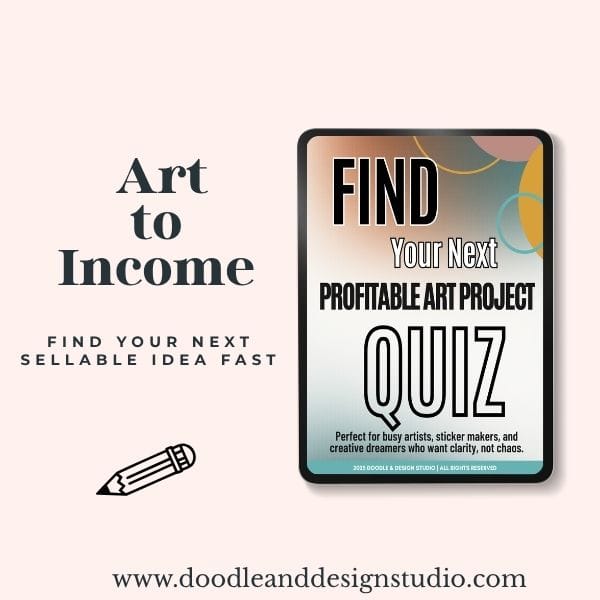
Grab the quiz and find your next art-to-income idea.
I created this quiz to help busy creatives cut through the noise, find focus fast, and feel confident about what to make next.
Etsy Cons: Fees, Competition, And The Algorithm
Now for the part nobody likes but everyone needs to hear. Etsy is not free and it is not quiet.
At the time this was posted, here is how the main fees look:
| Fee Type | Amount | Details |
|---|---|---|
| Shop opening fee | About $29 | One-time fee to open your shop |
| Listing fee | $0.20 | Per listing, good for about 4 months |
| Transaction + processing fee | About 6.5% + 3% + extra for offsite ads | Taken from each sale |
These numbers can change over time, but the point is simple: there are fees for being in the mall.
👉 If you need help setting your actual numbers, read my guide on pricing digital art
That is not the only con though.
High competition means extra effort to get noticed.
You are not the only person selling planners or art prints. You are in a sea of thousands of listings. Some are amazing, some are… not, but either way, you need to stand out.
That means things like:
- Clear, helpful titles
- Attractive product photos or mockups
- Thoughtful descriptions that tell buyers what they get and how to use it
Then there is the famous word that everyone throws around: the algorithm.
Etsy wants you to use SEO friendly words in your titles and tags so buyers can actually find you when they search. If someone types “2025 printable budget planner,” and your listing says “cute money thing,” the algorithm is going to pretend you do not exist.
So to get good results on Etsy, you need to:
- Spend some time learning what keywords your buyers use
- Use those words in your titles, tags, and descriptions
- Keep improving your listings over time based on what is working
If you do not mind a few rules and some learning, Etsy's visibility can absolutely be worth it.
Gumroad: Simple, Quiet, And Fully Yours

Now let us switch lanes and talk about Gumroad.
If Etsy is a big mall, Gumroad is your own small studio, tucked away, where people come because they already know you or someone sent them your way. It is quieter. Less crowded. Less pressure to fight for search ranking. And you get more control over the people who buy from you.
Gumroad Pros For Digital Art
Here is where Gumroad really shines:
- You own the customer relationship
When someone buys from you on Gumroad, you have their email address. They are your customer, not a stranger that the platform hides from you. - Instant digital delivery
You upload your product one time, set your price, and Gumroad handles file hosting and payments. When a customer buys, they get immediate access. You do not need to manually send anything. - Low stress about algorithms
Gumroad is not built around a giant search engine in the same way Etsy is. You are not battling an algorithm or obsessing over tags. You can focus more on your product and your people. - Outside links are allowed
You can link to your other stuff, like your website, social media, or other resources. Etsy is strict about that. Gumroad is more chill.
For someone who already has an audience, even a small one, this is powerful. You can send your followers directly to your product page, and you do not have to fight for attention inside a huge marketplace.
Gumroad Cons: You Have To Bring The People
Now for the “oh, right” part.
Gumroad does not really come with a built-in crowd like Etsy. It has a search bar and a basic marketplace, but the discoverability is tiny compared to Etsy.
People are not likely to just stumble across you there, especially if you are brand new.
So you are driving the traffic. That means:
- Sharing your Gumroad link on Instagram, YouTube, TikTok, or Facebook
- Putting it on your blog or website if you have one
- Emailing your list if you have one
You are the traffic magnet here.
If you do not have any followers yet, Gumroad can feel like yelling into the void. If you do have people who already love your art, or you are used to posting on social media, it can feel very clean and simple.
Which Platform Fits Where You Are Right Now?

This is the part everyone wants: the clear answer.
Here it is in the simplest way possible:
Newbie? Etsy.
Already have people? Gumroad.
If you’re confused about what counts as digital art or if it can actually earn income, read:
👉 What Is Digital Art (and Can You Actually Make Money with It?)
When Etsy Is Your Best First Step
If you are:
- Brand new to selling
- Not known online yet
- Still figuring out what you even want to sell
Etsy is your girl.
You get:
- Built-in shoppers already searching
- A guided setup that holds your hand
- Faster feedback on what people click on and buy
If you started with Gumroad and no audience, your chance of being seen is very slim. You would still have to go out to social media and drag everyone over. That is a lot when you are just trying to figure out “does anyone like this art?”
When Gumroad Makes More Sense
If you already:
- Have a decent following on Instagram, TikTok, YouTube, or somewhere else
- Have art that is already “popping off” a bit
- Hate the idea of wrestling with keywords more than you hate laundry
Then Gumroad might be where you start.
You can:
- Send people straight from your social posts to your product
- Keep your customer emails for future offers
- Avoid the big crowd of competing listings
Both platforms are flexible. You are not married for life. You can start with one, learn from it, and later test the other.
A good rule of thumb: give any platform you choose at least 90 days.
Ninety days feels long when you want instant results, but it is actually a tiny blip. It gives you enough time to:
- List more than one product
- Tweak things a few times
- Learn from your actual data instead of your anxiety
New to the whole process? Start with the core steps here:
👉 Beginner’s Guide to Selling Digital Art (Start Here)
How Each Platform Handles Your Customers And Email

This part matters a lot if you want long term income instead of random one-off sales.
On Etsy, you:
- Do not get access to customer email addresses in a simple, direct way
- Are not allowed to toss in a bunch of outside links everywhere
- Have to work a bit harder to move people from “Etsy buyer” to “on your email list”
You can do it, but it takes intention. You might add a little PDF or graphic inside your product that invites them to join your newsletter for a bonus, or you might mention it in your product description without breaking Etsy rules. It just is not all laid out for you.
On Gumroad, you:
- Get customer email addresses as part of the sale
- Can send updates or new offers directly to them
- Can link out to other places you hang out online
If building a small side hustle is your goal, read:
👉 Digital Artist Side Hustle: How to Start Earning in a Few Hours a Week
If you are already sending people from your own platforms to Gumroad, there is a good chance you already have some of their emails. But Gumroad buyers might also be new people who just found you and bought something. When their email is on your list, they can become repeat buyers, not just “that one person who bought that one thing.”
If you do not have an email list yet, go ahead and mentally add that to your to-do list. You do not have to set it up today, but know that future you will be very happy to have it.
How To Stop Overthinking And Actually Start
You do not need the perfect platform to start. You need a clear goal.
That goal might be:
- “I want to get my first sale.”
- “I want to see which product idea people like.”
- “I want to stop stalling and finally list something.”
Once you have that, pick the tool that fits where you are:
- No audience, no clue, just vibes and a folder of art files? Start with Etsy.
- You already post your art, people comment, you get DMs, you have some kind of audience? Start with Gumroad.
Then:
- Choose one platform, just one, for now.
- Commit to it for 90 days.
- List something, even if it is not perfect.
- Take notes as you go. What is selling? What is not? What questions do people ask?
You will learn faster by launching and adjusting than by watching one more video or reading one more post.
Start small, put some work in, let yourself be a beginner, and keep going. That is how you build confidence and start growing your brand, even if you feel like a “certified chaos queen” too.
Key Takeaways
- Etsy is best for beginners who want built-in traffic.
- Gumroad is best if you already have followers and want control + email access.
- Commit to 90 days on one platform before judging results.
- Start with one simple digital product you can make fast.
- Selling digital art online is easier when you treat it like an experiment, not a final exam.
have you joined the art to income: create & Sell digital products facebook group?
If you’ve ever said, “I want to draw digitally, but I have no idea where to start,” this is your sign.
We learn Procreate tricks, share designs, celebrate tiny wins, and cheer each other on as we start selling what we make.
💕Join Us on Facebook✨
Need Help Picking What To Sell First?
If part of your problem is, “Okay Cynthia, platform is fine, but I don't even know what digital product to make,” I have you.
I created a free quiz called Pick Your Next Digital Product that also comes with a GPT prompt to help you plan it out.
It will:
- Help you pick a digital art project that actually fits your season of life
- Give you a clear starting point instead of 40 half-ideas
- Hand you a prompt you can plug into AI to help you map out details
You can grab it here:
Pick Your Next Digital Product + GPT Prompt
If you are an empty nester with more time, a busy mom with five minutes in the pantry on her phone, or somewhere in between, this will help you stop spinning and start creating.
FAQs
How do beginners start selling digital art online?
Pick one platform—Etsy if you're brand new, Gumroad if you already have an audience—then list one simple product and commit to 90 days of learning and improving.
Do I need an audience to sell digital art online?
No. Etsy brings built-in shoppers to you. Gumroad requires you to bring the traffic, so an audience (even a small one) helps.
Is Etsy or Gumroad better for beginners?
Etsy is best for beginners because it has built-in traffic and guided setup. Gumroad is better if you already have people watching your art and want more control.
What digital art products are easiest to start with?
Printable wall art, sticker sheets, clip art packs, affirmation cards, and simple planners are beginner-friendly and fast to create.
How long should I test a platform before switching?
At least 90 days. That gives you enough time to list multiple products, gather data, and adjust without panic.
Pick A Tool, Not A Forever Identity
You do not have to pick the “perfect” platform for the rest of your life. You just need to pick the right tool for right now.
Etsy is best if you are new and need built-in traffic and structure. Gumroad is better if you already have people watching your work and want more control and less competition.
Choose one, give it 90 days, list your art, and treat it like an experiment instead of a final exam.
Then, when you are ready to stop second guessing and start making something real, grab the free Pick Your Next Digital Product quiz and GPT prompt at doodleanddesignstudio.com/profitable-project-quiz, and let that be your next step forward.
Your art does not help anyone while it is sitting in a folder. Put it out there.

🎨 Art to Income Membership
Turn your doodles into dollars — one simple, sellable project at a time.
If you're staring at Procreate wondering how people go from drawing frogs in sweaters to actually selling stuff — you're not alone.
This membership helps you go from “where do I even start?” to having a finished product ready to list.
Each month you’ll get:
💖 One guided project to create and list a finished product
💖 Done-for-you assets to speed things up
💖 Trend + keyword ideas so you know what people are actually buying
💖 A supportive group of artists figuring it out right alongside you
💖 Listing and promo ideas so your art doesn’t just sit in a folder
You don’t need to be techy, trained, or totally “together” — just curious enough to try.
🧩 Want Help Putting All the Pieces Together?
If you're figuring out how to turn your art into income and wish there was a big-picture roadmap to follow — good news, there is.
👉 Read the Ultimate Guide to Making Money with Digital Art🎥 Prefer to learn by watching?
I’ve got a YouTube channel full of quick, no-pressure tutorials made for tired, creative souls like you.
Subscribe here and catch your next creativity boost, one sticker at a time.
Love and messy buns,
❤️
Cynthia McDonald
Helping women find creativity in the chaos — with stickers, stationery, and a little bit of fun
This post may contain affiliate links. I may earn a commission if you make a purchase at no extra cost to you.
Make sure and grab your favorite Pinterest Pin and Save it to your Digital Art Pinterest Board


